Decision tree

How can we help you with Online Banking?

What authorization device are you using to access Online bank?

Is this the first time you want to connect to Online Banking?

Do you know username of your Online Banking?

Where can I find my username for online bank?

You created your username for the Online Bank when you submitted the application called “Application to Activate the Citadele Online Bank”. You can find your online banking username in this application under “Authorisation tool type”.

If you became a Citadele client remotely, you will find your username for the Online Bank in the application called “Confirmation of Receiving Services”, which you signed in the presence of a courier. If you became a client on the app and received your card by mail, you received your username by text to the phone number you indicated.

If you cannot find the application which contains your online bank username, you will have to visit a Citadele branch and bring a form of ID (passport or ID card).

If you have access to the Citadele app, log in to it, click on the profile icon on the top right corner, under your name and surname will be your online bank username.

Are you satisfied with the answer?

Did you get to the authorization window?

What actions are you having problem with?

How do I reinstall MobileSCAN if I forget my PIN code?

If you have forgotten your existing MobileSCAN PIN code, and you cannot log in to the Citadele app, you must disconnect and reactivate MobileSCAN in the app. The bank does not save your MobileSCAN PIN code anywhere, so we cannot remind you.

To disconnect your existing MobileSCAN:

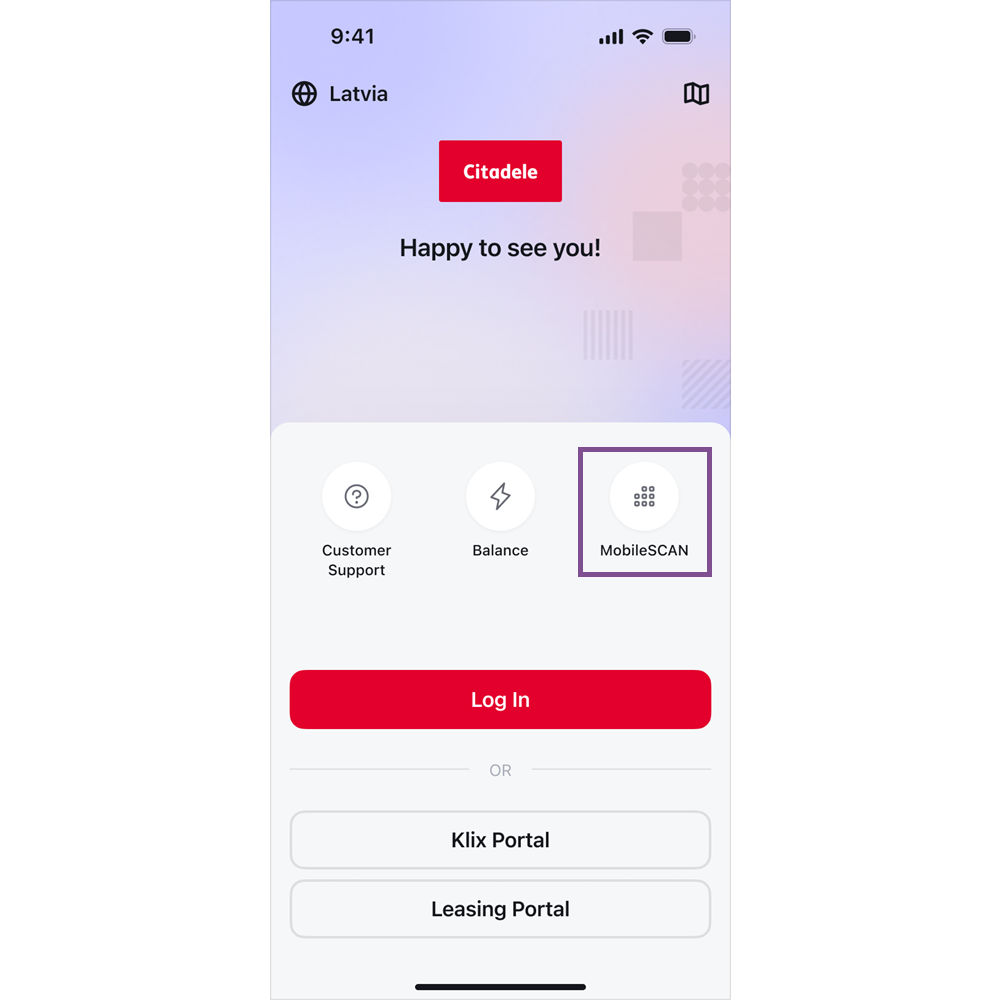
screenshot of the welcome screen in Citadele mobile app highlighting the MobileSCAN button

1. Open the app and click on MobileSCAN.

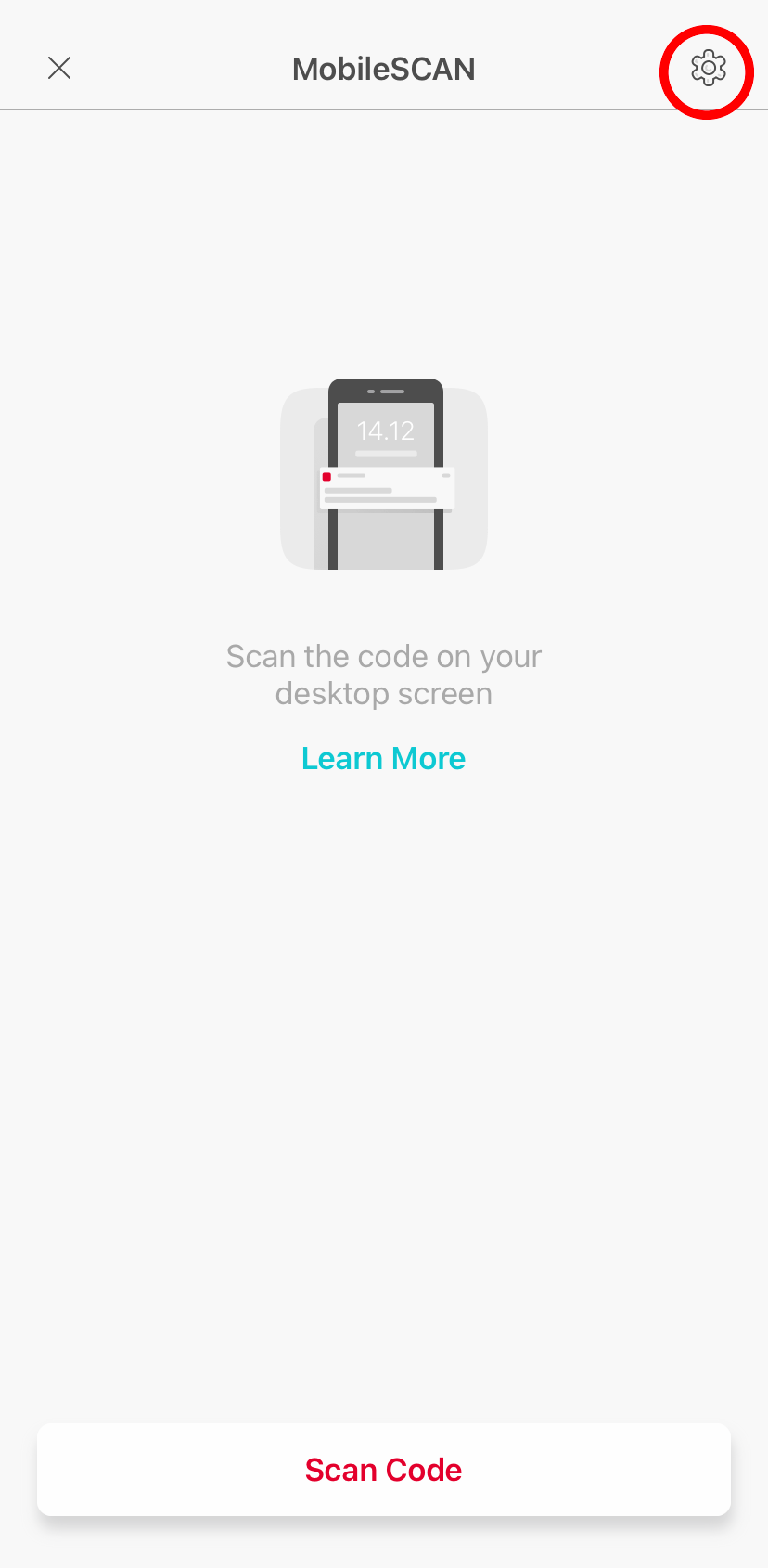
2. In the upper right hand part of the screen, click on the MobileSCAN settings icon.

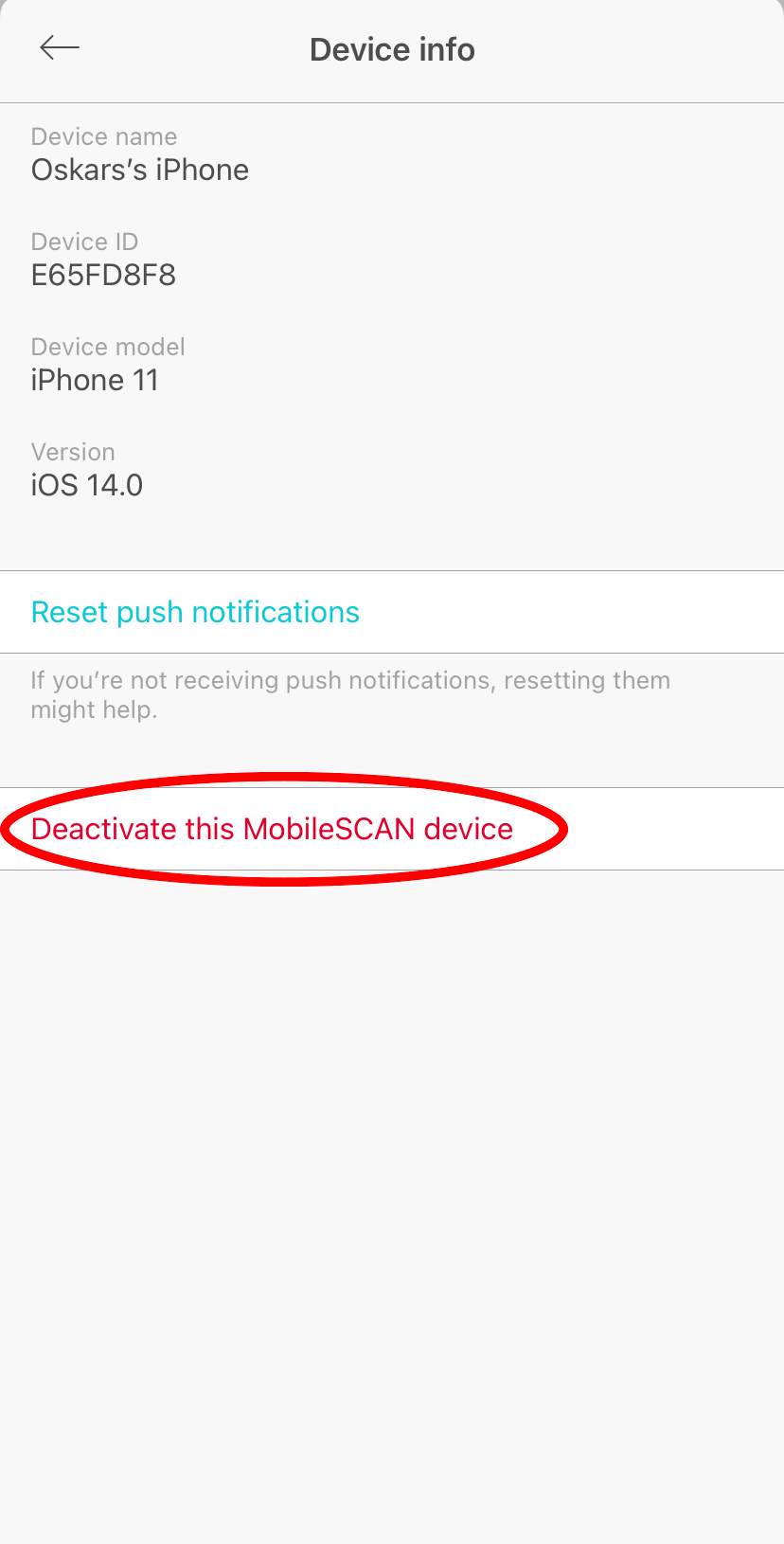
3. Open device information and click on Disconnect this MobileSCAN device.

If you already have had MobileSCAN, you can reactivate it in online bank or by doing this straight in your mobile device. Just follow the instruction How can I reactivate MobileSCAN if I have previously already used it? 

Are you satisfied with the answer?