Skip to page content

OFFER FOR START-UP

Open a business account at Citadele and receive great offers for both banking services and from our cooperation partners. The offer applies to companies registered within the last 12 months.

A man holding a laptop stands by glass office doors.

Service plans

12 months free of charge.

Partner offers

Special terms for services.

POS terminal

First 12 months no rental fee.

Woman in a red blazer holding a tablet by a glass building facade.

Become a client without visiting a branch

  • Fill out the application and questionnaire remotely if you can represent your company individually. All you need is a qualified SmartID, eID, or e-Paraksts MOBILE for identification and signing the application.
  • Wait for a confirmation message from the bank and start using your account.
  • Receive your C Business card by mail.
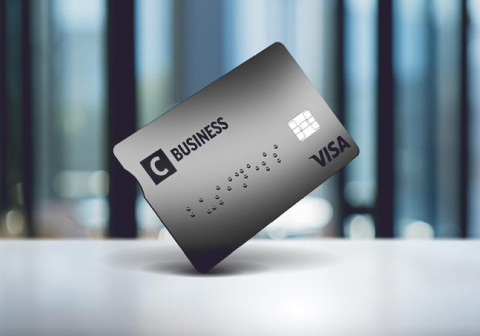
Grey Citadele business payment card with the text “C Business” and the VISA logo.

Service plans

A service plan includes a certain number of free payments, current accounts, an unlimited number of Mastercard Business Debit cards, as well as a certain number of C Business cards free of charge in the first year, and other useful services for everyday business needs. In addition, for newly established companies, any service plan is free of charge for the first 12 months. Choose the plan that best suits your business!

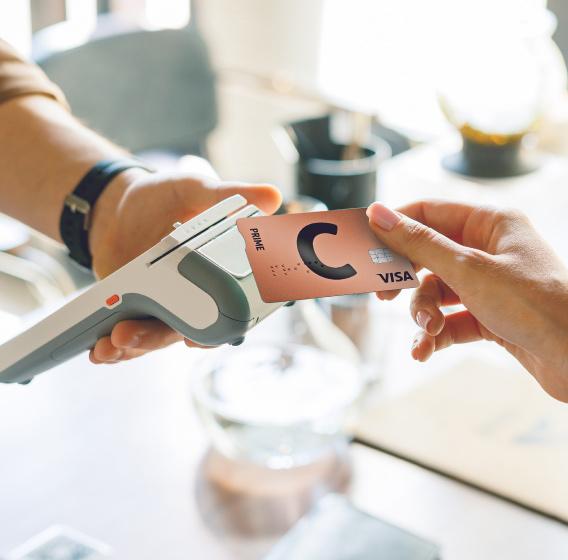
A payment is made with a Citadele C Prime payment card by holding it close to a POS terminal.

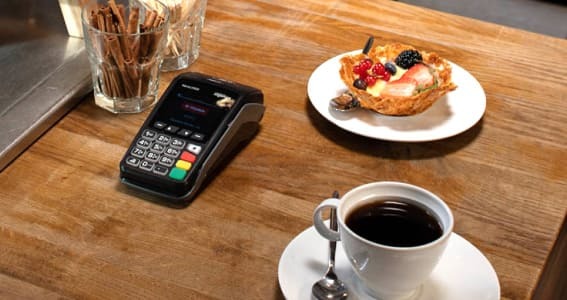
Need a POS terminal?

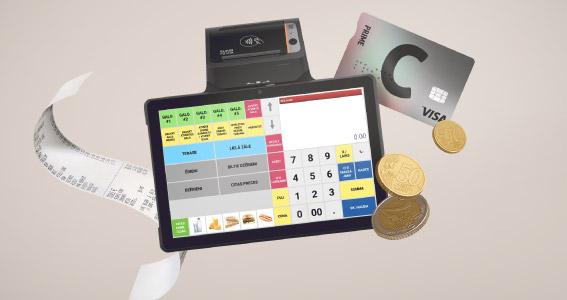
Various payment card acceptance solutions are available with excellent terms.

  • Mobile, stationary, built-in payment acceptance solutions, and integrated cash register systems.
  • Favorable rates.
  • Free POS receipt rolls, delivered to your point of sale.
  • Citadele Phone POS – a solution without a rental fee.
  • Mobile and stationary POS terminals free of rental fees for the first 12 months.
Woman in a light shirt standing by a glass wall, holding a jacket over her shoulder.

Have you started company registration? Open a temporary account remotely.

A company’s temporary account is a bank account opened during the initial registration process of the company. It is a temporary account opened before the company is established. This account is needed to deposit share capital and complete the company registration process.

Latest news (in Latvian)

Telefona ekrāns ar Citadeles mobilās lietotnes saziņas lauku
Business

Ērtāk un ātrāk – attālinātie bankas pakalpojumi biznesam

Uzņēmuma vadība sastāv no daudziem lielākiem un mazākiem darbiem, kas strādā tavā labā tikai tad, ja paveikti precīzi, pareizā secībā un laikā. Neskaidri iesniegumi, kavēti termiņi un neatbildēti jautājumi pagarina ceļu līdz mērķim vai pat aizved neceļos. Izlasi piecus padomus, kā paātrināt...

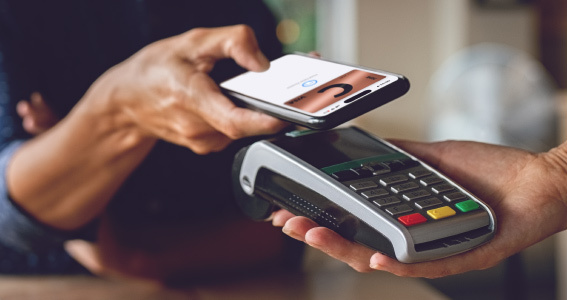
Bekontakta maksājums ar telefonu POS terminālī
Business

Izmaiņas likumā – kādos gadījumos uzņēmējam POS terminālis ir obligāts?

POS terminālis ir ieguvums gan pārdevējam, gan pircējam. Klienti bieži vien labprātāk izvēlas kaut ko iegādāties, ja ir pieejama iespēja norēķināties ar karti. Mūsdienīgu maksāšanas risinājumu ieviešana var palielināt pārdošanas apjomus, turklāt nauda no darījumiem drīz vien nonāk norēķinu kontā.

Business

Krāpnieki meklē uzņēmumu vājos punktus

Finanšu krāpšanas upuri visbiežāk ir privātpersonas, tomēr tikpat liels risks kļūt par krāpnieku mērķi ir arī uzņēmumiem, jo cilvēciskais faktors var nostrādāt jebkur. Viena kļūda var radīt ievērojamus zaudējumus. Kā atpazīt krāpšanas mēģinājumus un neiekrist viltvāržu lamatās, skaidro Roberts...

Business

7 eksperta padomi veiksmīgai uzņēmuma dibināšanai

Pēdējo piecu gadu laikā katru gadu Latvijā vidēji ir reģistrēti aptuveni 9000 uzņēmumu, vairāk nekā 70 % no tiem izvēlējušies būt SIA vai mazkapitāla SIA.* Lai dibinātu uzņēmumu, nepieciešama ne tikai ideja un finanses, bet arī secīga papīru sakārtošana, nepalaižot garām būtiskas nianses.

Business

Valūtas risku pārvaldība mūsdienu finanšu vidē

Pašreizējo uzņēmējdarbības vidi raksturo paaugstināta aktivitāte tirgos un nenoteiktība, ko nosaka vairāki faktori, tostarp ģeopolitiskā spriedze, preču cenu svārstības un neprognozējami ekonomikas dati. Kara notikumu attīstība Ukrainas un Izraēlas reģionos, negaidīti pavērsieni notiekošajās...

Business

Robots ar mākslīgo intelektu – no pašpalīdzības satura koka līdz cilvēciskam klientu atbalstam

Mākslīgā intelekta ieviešana biznesa procesos ir pielīdzināma hero’s journey jeb varoņa ceļojumam – tev ir hipotētisks mērķis, un, lai līdz tam nonāktu, ir jādodas ceļā, kas pilns ne tikai ar jaunām zināšanām un prasmēm, bet arī šķēršļiem un problēmām. Kļūdas ir neizbēgamas, tomēr ceļojuma...

Business

Mr. Bunny izvēlas bezskaidras naudas darījumus

Zaķis visu gadu, bet Lieldienās īpašs zaķis – tā par Mr. Bunny saka uzņēmuma līdzīpašniece Daidze Vālodze Sončika. Sarunā par uzņēmumu viņa uzsver bezskaidras naudas darījumu nozīmi un pozitīvo pieredzi ar Klix tiešsaistes maksājumu sistēmu.

Business

Finansējuma pieejamība nodrošina biznesa attīstību

Pasaulē ekonomiskās izaugsmes un inovāciju ritms nekad neapstājas, tāpēc finansējuma pieejamība uzņēmumiem ir kritiska veiksmes sastāvdaļa. Tā ir degviela, kas nepieciešama, lai idejas pārvērstu realitātē, un dzinējspēks, kas veicina gan jaunu, gan jau pastāvošu uzņēmumu attīstību.


Business

Attālināta kontu atvēršana aizvien populārāka, jo aizņem vien 20 minūtes

Strauji mainīgajā biznesa vidē ir novērota būtiska pāreja uz attālinātu klientu apkalpošanu, un pērn vairāk nekā divas trešdaļas jauno Citadeles klientu ir atvēruši bankas kontu attālināti. Īpaši šī tendence novērota jaundibināto uzņēmumu vidē – 40 % no visiem klientiem, kas atvēruši kontus...

Business

Cik ērti ir norēķināties tavā interneta veikalā?

Tava tiešsaistes veikala apmeklētājs ir atstājis pilnu iepirkumu grozu un pazudis? Iemesli tam var būt dažādi. Viens no tiem – pārlieku sarežģīts un ilgs pirkuma apmaksas ceļš, kas licis potenciālajam pircējam pārdomāt. Cik viegli, droši un ērti ir norēķināties par pirkumiem tavā vietnē?

Business

Jauni uzņēmumi aktīvi atver kontus attālināti

Pērn divas trešdaļas jauno klientu ir atvēruši bankas kontu attālināti. Šāda iespēja ir bijusi ērta arī daudziem uzņēmumiem, no kuriem 69 % ir jaundibināti. Attālinātā pakalpojuma izvēle kļūst arvien populārāka, jo konta atvēršana notiek pilnīgi automatizēti un iespējama 20 minūšu laikā....

Business

Biznesa plānu īstenošanai: krāt vai aizņemties?

Biznesa vide mainās ne pa dienām, bet pa stundām, tādēļ uzņēmējiem ir jāspēj gan ātri pieņemt biznesa lēmumus, gan pielāgoties aktuālajai situācijai. Pašreizējās ģeopolitiskās situācijas dēļ uzņēmums var nonākt dažādu pārmaiņu priekšā – jāapgūst jauns eksporta tirgus, jāinvestē jaunu produktu un...

Business

Kā pasargāt savus un klientu datus no krāpniekiem internetā

Lielāki vai mazāki kiberuzbrukumi uzņēmumiem notiek katru dienu. Tādēļ ir svarīgi pienācīgi aizsargāt gan savu mājaslapu, kurā apkopo klientu datus, gan iekšējās datu bāzes un e-pastu kontus. Datu zādzības izmaksas ir pārāk augstas, lai šo risku atstātu bez ievērības, jo uz spēles tiek liktas ne...

Business

Padomi uzņēmējiem, kuri sadarbojas ar partneriem Baltkrievijā

Eiropas Savienības un ASV izdotās finanšu sankcijas pret Baltkrieviju ir vienas no stingrākajām, kādas vērstas pret Eiropas reģiona valsti. Tās neizbēgami ietekmē daudzus Latvijas uzņēmumus, kuriem ir sadarbības partneri Baltkrievijā. Šī sadarbība bieži vien tiek būtiski apgrūtināta vai arī...

Business

POS termināļu veidi un katra priekšrocības

Digitālā transformācija norēķinu jomā pēdējos gados bijusi pietiekošo strauja, lai, dodoties uz veikalu, mēs varētu aizmirst par sīknaudas un dažādu lojalitātes karšu pilno maku. Šodienas realitāte ir tāda, ka droši un ātri varam veikt norēķinus ar vienu pašu maksājumu karti, mobilo telefonu,...

Need help?

Get instant answers to your questions 24/7 from our website help tool: our virtual financial consultant, Adele.

If you are not yet our business customer, you can join us without coming to the bank! Now you just have to complete an application on the Citadele’s website. Fill it in and we will deliver the card to you free of charge within Latvia.

To become a customer using an application on the Citadele website, the following criteria must be met:

  • the legal form of the company is limited liability company (SIA), individual merchant (IK), farm undertaking or fishery undertaking (ZS);
  • your company is active and registered in the Register of Enterprises of the Republic of Latvia;
  • your company is solvent;
  • the company carries out economic activity in Latvia;
  • you have been issued a passport or identity card of citizen or non-citizen of the Republic of Latvia;
  • you have the right to represent the company individually;
  • you have a qualified electronic signature - eSignature maintained by SmartID QES or LVRTC in Latvia.

If any of the above criteria is not met, please visit any of our branches, and bring an identity document.

When you become a customer of Citadele Bank remotely, initially in Online bank, there will be a set limit for outgoing transfers per day. The maximum total amount of transfers per day may be up to EUR 60 000 EUR. This condition can be changed upon visiting the bank branch.

After you have completed the application, a bank representative will contact you if necessary. If the application is successful and no additional information is required, you will receive the following information soon:

  • an e-mail about the successful completion of the application and instructions on how to proceed;
  • an SMS with the login to the Online bank (if a new Online bank Agreement was drawn up).

To access detailed information about the services you applied for, please visit the My Applications section of the website. To check the status of your application and view detailed information about the services at Citadele Bank, log in using a secure electronic signature.

How to activate Online bank?

If you are a new user of Online bank and you need to activate the authorization device MobileSCAN for Online bank, go to the section of the website My applications.

1) To activate MobileSCAN, log in to the section My Applications.

2) After authorization, you will see detailed information about the company’s application, the services applied for and the activation of MobileSCAN.

3) In addition, download Citadele’s mobile app from Google play or App store to enable MobileSCAN activation.

4) Once the app is downloaded, activate MobileSCAN by following the instructions.

5) When MobileSCAN is activated, you can connect to Online bank with the login name received in the text message.

When applying remotely, choose the most advantageous service plan for your company. Depending on the type of plan you choose, you will be able to use a set of services.

  • A certain number of free SEPA transfers (depending on the type of plan)
  • A certain number of free current accounts.
  • A certain number of free C Business cards with an account in the first year of service.
  • Unlimited number of free intrabank transfers.
  • Unlimited Mastercard Business Debit cards for free.

Additionally, an Online bank will be created.

  • If you are already a customer of the bank and use Citadele Online bank with the authorization device MobileSCAN, you will be able to choose whether to use the existing connection or create a new one (a new MobileSCAN license and login will be issued).
  • If you do not currently use Citadele Online bank or you have another authorization device, you will be issued a new Online bank Agreement with a new login name and MobileSCAN license.

To start the completion, click on “Business customers” > “Become a customer” > “Become a customer” > “Become a customer remotely” and read the basic conditions. Before filling in the application, choose the most suitable type of authorization.

You can become a Citadele customer remotely or in person.

When starting a business relationship in person, the documents listed below must be submitted depending on the status of the legal entity.

Legal entity the process of registration of which has not been completed yet (temporary account)

  • Customer questionnaire.
  • Foundation agreement or articles of association of the company.
  • Identity document (passport/identity card (ID card)) of the representative of the company.

Registered legal entity

  • Customer questionnaire.
  • Identity document (passport/ID card) of the representative of the company.
  • Identification data of beneficial owners.


! If necessary, Citadele may request additional documents according to a risk-based approach (e.g., proof of origin of funds, proof of ownership structure for businesses with a complex cross-border ownership structure, documents confirming transactions with key business partners, in case of a payment institution/electronic money institution – AML/CFT policies and procedures).

A qualified electronic signature, which is legally equivalent to a handwritten signature, must be used to complete the application. Qualified electronic signatures in Latvia are:

  • SmartID QES;
  • eSignature maintained by LVRTC.

To become a customer using an application on the Citadele website, the following criteria must be met:

  • the legal form of the company is limited liability company (SIA), individual merchant (IK), farm undertaking or fishery undertaking (ZS);
  • your company is registered in the Register of Enterprises of the Republic of Latvia; 
  • your company is solvent;
  • the company carries out economic activity in Latvia;
  • you have been issued a passport or identity card of citizen or non-citizen of the Republic of Latvia;
  • you have the right to represent the company individually;
  • you have a qualified electronic signature - eSignature maintained by SmartID QES or LVRTC in Latvia.

It takes an average of 20 minutes to complete the application.

If you do not have the right to sign the application individually, you must apply for a face-to-face visit to the bank’s branch with the other signatories.

The account and Citadele Online bank are available immediately after you have received an e-mail about the successful submission of the application, you will receive a C Business card by post within a week. Activate the card using the mobile app or Online bank.

A video call is required to ensure the remote receipt of services and compliance with the "Know Your Customer" principle. Read more about this principle here: What is the Know Your Customer Principle?

  • If the authorization device for the existing Online bank is MobileSCAN, you will be able to use the existing connection.
  • If you do not have MobileSCAN yet, you can connect it in Online bank.

The bank may refuse to become a customer in cases specified in regulatory enactments and in accordance with the bank’s internal regulatory documents, for example, if the bank cannot verify the legality of the company’s income or if the authorized person provides false information to the bank.

Within a week after completing the application. You will receive two shipments – the C Business card is sent first and a few days later – the PIN code.

Your application will be available for 60 days. You can complete it at any time.

You can access your started application by logging in from Become a customer remotely or My applications.

Registration and sending the card by post is free of charge. You can read information on the costs of the service plan here.

No, you do not have to be a Citadele customer. However, if you want to become one, download the Citadele mobile app and select the section “Become a bank customer”.

To activate your temporary account, fill out the application Become a customer remotely.

In the application, you will need to provide your temporary account number, and this will activate the account.

  • Go to the section of the website “Business customers” > “Become a customer” > “Become a customer” > “Become a customer remotely”.
  • Read the basic conditions.
  • Choose the most convenient type of authorization.
  • Fill in information about your company.
  • Sign the application with a pre-selected qualified electronic signature.

If you are not yet our business customer, you can join us without coming to the bank! Now you just have to complete an application on the Citadele’s website. Fill it in and we will deliver the card to you free of charge within Latvia.

To become a customer using an application on the Citadele website, the following criteria must be met:

  • the legal form of the company is limited liability company (SIA), individual merchant (IK), farm undertaking or fishery undertaking (ZS);
  • your company is active and registered in the Register of Enterprises of the Republic of Latvia;
  • your company is solvent;
  • the company carries out economic activity in Latvia;
  • you have been issued a passport or identity card of citizen or non-citizen of the Republic of Latvia;
  • you have the right to represent the company individually;
  • you have a qualified electronic signature - eSignature maintained by SmartID QES or LVRTC in Latvia.

If any of the above criteria is not met, please visit any of our branches, and bring an identity document.

When you become a customer of Citadele Bank remotely, initially in Online bank, there will be a set limit for outgoing transfers per day. The maximum total amount of transfers per day may be up to EUR 60 000 EUR. This condition can be changed upon visiting the bank branch.

After you have completed the application, a bank representative will contact you if necessary. If the application is successful and no additional information is required, you will receive the following information soon:

  • an e-mail about the successful completion of the application and instructions on how to proceed;
  • an SMS with the login to the Online bank (if a new Online bank Agreement was drawn up).

To access detailed information about the services you applied for, please visit the My Applications section of the website. To check the status of your application and view detailed information about the services at Citadele Bank, log in using a secure electronic signature.

How to activate Online bank?

If you are a new user of Online bank and you need to activate the authorization device MobileSCAN for Online bank, go to the section of the website My applications.

1) To activate MobileSCAN, log in to the section My Applications.

2) After authorization, you will see detailed information about the company’s application, the services applied for and the activation of MobileSCAN.

3) In addition, download Citadele’s mobile app from Google play or App store to enable MobileSCAN activation.

4) Once the app is downloaded, activate MobileSCAN by following the instructions.

5) When MobileSCAN is activated, you can connect to Online bank with the login name received in the text message.

When applying remotely, choose the most advantageous service plan for your company. Depending on the type of plan you choose, you will be able to use a set of services.

  • A certain number of free SEPA transfers (depending on the type of plan)
  • A certain number of free current accounts.
  • A certain number of free C Business cards with an account in the first year of service.
  • Unlimited number of free intrabank transfers.
  • Unlimited Mastercard Business Debit cards for free.

Additionally, an Online bank will be created.

  • If you are already a customer of the bank and use Citadele Online bank with the authorization device MobileSCAN, you will be able to choose whether to use the existing connection or create a new one (a new MobileSCAN license and login will be issued).
  • If you do not currently use Citadele Online bank or you have another authorization device, you will be issued a new Online bank Agreement with a new login name and MobileSCAN license.

To start the completion, click on “Business customers” > “Become a customer” > “Become a customer” > “Become a customer remotely” and read the basic conditions. Before filling in the application, choose the most suitable type of authorization.

You can become a Citadele customer remotely or in person.

When starting a business relationship in person, the documents listed below must be submitted depending on the status of the legal entity.

Legal entity the process of registration of which has not been completed yet (temporary account)

  • Customer questionnaire.
  • Foundation agreement or articles of association of the company.
  • Identity document (passport/identity card (ID card)) of the representative of the company.

Registered legal entity

  • Customer questionnaire.
  • Identity document (passport/ID card) of the representative of the company.
  • Identification data of beneficial owners.


! If necessary, Citadele may request additional documents according to a risk-based approach (e.g., proof of origin of funds, proof of ownership structure for businesses with a complex cross-border ownership structure, documents confirming transactions with key business partners, in case of a payment institution/electronic money institution – AML/CFT policies and procedures).

A qualified electronic signature, which is legally equivalent to a handwritten signature, must be used to complete the application. Qualified electronic signatures in Latvia are:

  • SmartID QES;
  • eSignature maintained by LVRTC.

To become a customer using an application on the Citadele website, the following criteria must be met:

  • the legal form of the company is limited liability company (SIA), individual merchant (IK), farm undertaking or fishery undertaking (ZS);
  • your company is registered in the Register of Enterprises of the Republic of Latvia; 
  • your company is solvent;
  • the company carries out economic activity in Latvia;
  • you have been issued a passport or identity card of citizen or non-citizen of the Republic of Latvia;
  • you have the right to represent the company individually;
  • you have a qualified electronic signature - eSignature maintained by SmartID QES or LVRTC in Latvia.

It takes an average of 20 minutes to complete the application.

If you do not have the right to sign the application individually, you must apply for a face-to-face visit to the bank’s branch with the other signatories.

The account and Citadele Online bank are available immediately after you have received an e-mail about the successful submission of the application, you will receive a C Business card by post within a week. Activate the card using the mobile app or Online bank.

A video call is required to ensure the remote receipt of services and compliance with the "Know Your Customer" principle. Read more about this principle here: What is the Know Your Customer Principle?

  • If the authorization device for the existing Online bank is MobileSCAN, you will be able to use the existing connection.
  • If you do not have MobileSCAN yet, you can connect it in Online bank.

The bank may refuse to become a customer in cases specified in regulatory enactments and in accordance with the bank’s internal regulatory documents, for example, if the bank cannot verify the legality of the company’s income or if the authorized person provides false information to the bank.

Within a week after completing the application. You will receive two shipments – the C Business card is sent first and a few days later – the PIN code.

Your application will be available for 60 days. You can complete it at any time.

You can access your started application by logging in from Become a customer remotely or My applications.

Registration and sending the card by post is free of charge. You can read information on the costs of the service plan here.

No, you do not have to be a Citadele customer. However, if you want to become one, download the Citadele mobile app and select the section “Become a bank customer”.

To activate your temporary account, fill out the application Become a customer remotely.

In the application, you will need to provide your temporary account number, and this will activate the account.

  • Go to the section of the website “Business customers” > “Become a customer” > “Become a customer” > “Become a customer remotely”.
  • Read the basic conditions.
  • Choose the most convenient type of authorization.
  • Fill in information about your company.
  • Sign the application with a pre-selected qualified electronic signature.